
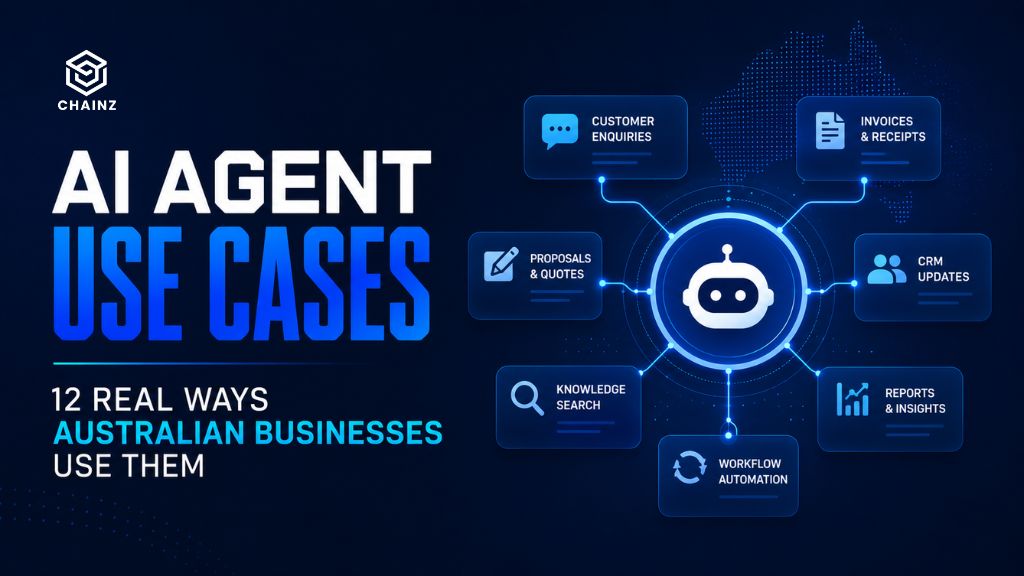
Most explanations of AI agent use cases stay frustratingly abstract – “boost productivity,” “transform operations” – without ever showing you what an agent actually does on a Tuesday afternoon in a real business. The useful question isn’t what an AI agent could theoretically do. It’s which specific, repetitive, expensive task in your business an agent could take off someone’s plate this quarter.
This guide gives you twelve concrete AI agent use cases grouped by business function, with a plain description of what the agent actually does in each – so you can recognise the ones that map to your own operations.
First: What Makes a Good AI Agent Use Case
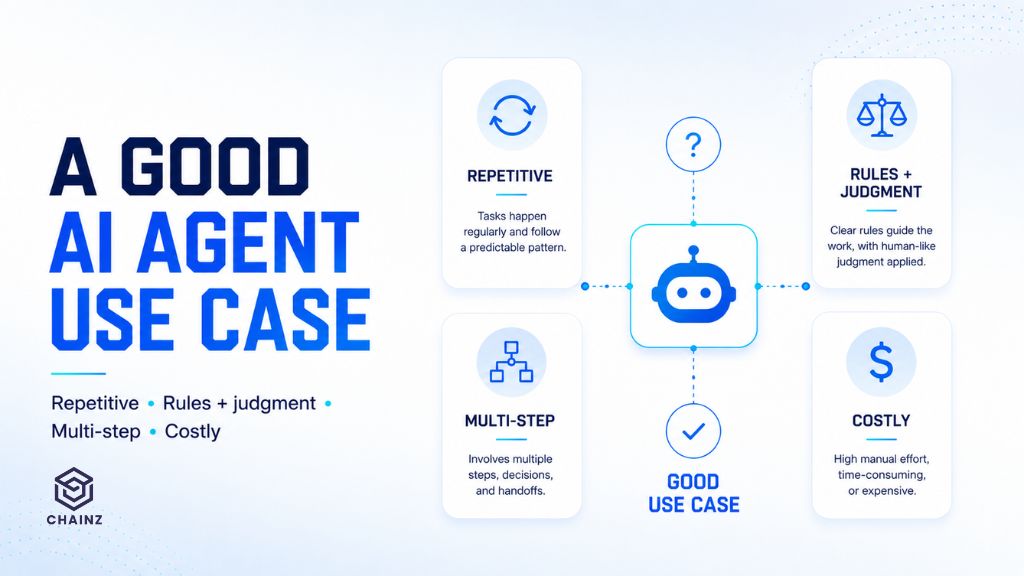
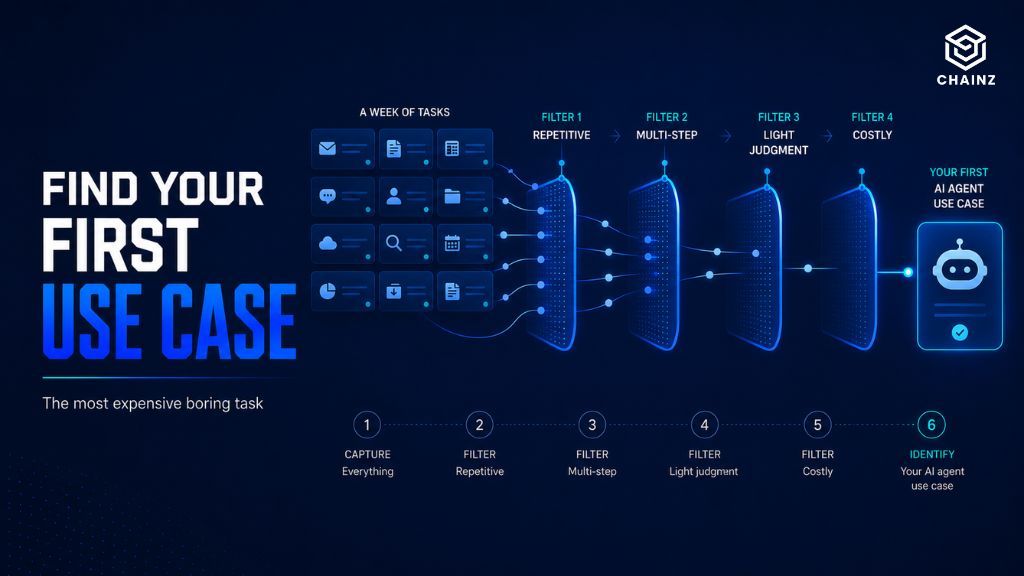
Before the list, the pattern worth internalising. The strongest AI agent use cases share four traits: the task is repetitive (it happens often), rules-plus-judgment (too nuanced for a simple script but not requiring deep human expertise), multi-step (it spans several actions or systems), and costly (it consumes meaningful hours). When you read the examples below, notice how each one fits that shape – and use it to spot candidates the list doesn’t mention.
Customer-Facing Use Cases
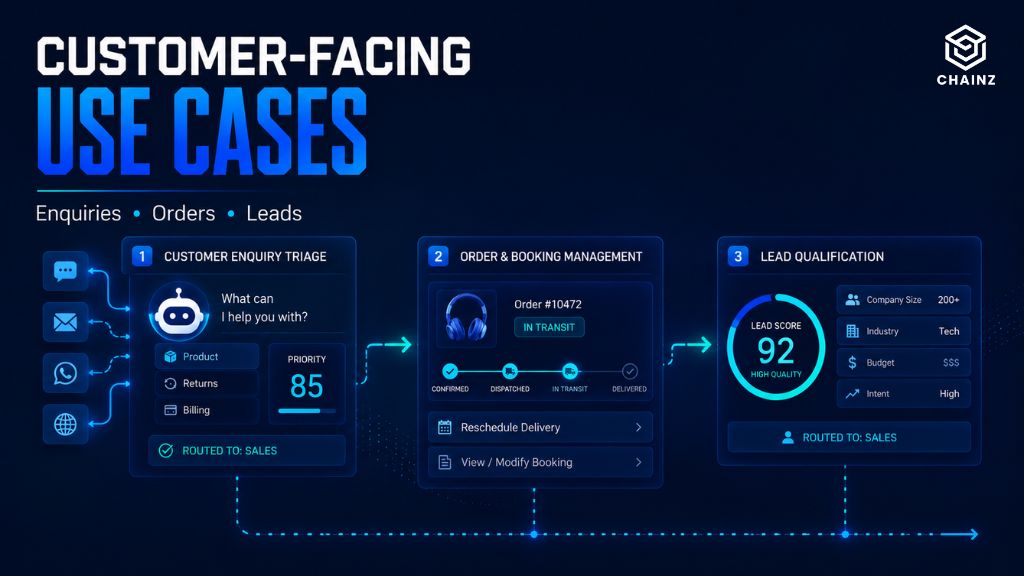
1. Customer enquiry handling and triage. An agent reads incoming enquiries, answers the routine ones directly from your knowledge base, and routes the rest to the right person with a summary attached. Unlike a basic chatbot, it acts – updating your helpdesk, tagging the ticket, escalating with context.
2. Order and booking management. The agent handles the full loop: checking availability, confirming details, updating your system, and sending confirmation. It steps in where a form is too rigid and a human is too expensive.
3. Lead qualification. Incoming leads get assessed against your criteria, enriched with available data, scored, and routed – so your sales team spends time on the leads worth their time, not on sorting.
Operations and Admin Use Cases
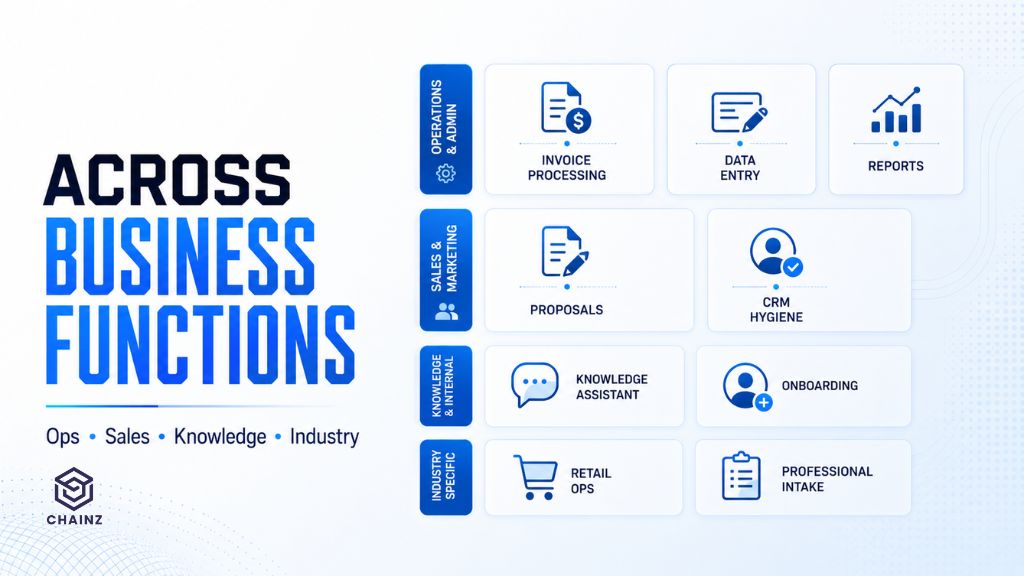
4. Invoice and document processing. The agent extracts data from invoices, purchase orders, or forms regardless of format, validates it against your records, flags discrepancies, and enters the clean data into your accounting system. One of the highest-return use cases for most businesses.
5. Data entry between systems. Where two tools don’t talk to each other and someone re-keys information between them, an agent bridges the gap – reading from one, applying rules, writing to the other, and handling the exceptions a rigid integration can’t.
6. Report generation. The agent gathers data from multiple sources, compiles it into your standard report format, writes the narrative summary, and flags anything unusual – turning hours of monthly assembly into a review-and-approve task.
Sales and Marketing Use Cases
7. Proposal and quote drafting. The agent assembles a first-draft proposal or quote from your templates, pulling the right pricing, case studies, and terms for the specific client – leaving your team to refine rather than start from scratch.
8. CRM hygiene and follow-up. The agent keeps your CRM current – logging interactions, updating fields, and drafting timely follow-ups – solving the “our CRM data is a mess” problem that quietly undermines most sales operations.
Internal and Knowledge Use Cases
9. Internal knowledge assistant. Staff ask questions in plain language and get accurate answers drawn from your policies, procedures, and documentation – with the source cited. It reclaims the hours lost to “where’s that document” and “who knows how we do X.”
10. Onboarding and HR support. New staff get an agent that answers the hundreds of routine questions onboarding generates, guides them through processes, and escalates the genuinely novel ones to a human.
Industry-Specific Use Cases
11. Retail and e-commerce operations. An agent monitors stock, drafts reorders, updates listings across channels, and handles routine supplier communication – the operational glue that otherwise consumes a team’s day.
12. Professional services intake. For firms in law, accounting, or consulting, an agent handles client intake – gathering information, checking for conflicts, setting up the matter, and preparing the file – before a fee earner spends a minute on it.
The Pattern Across All Twelve
Look back and the common thread is clear: none of these are “AI being clever.” They’re expensive, repetitive, multi-step tasks that a person currently does and largely dislikes doing. That’s the honest promise of AI agents for most businesses – not reinvention, but reclaiming the hours lost to work that never needed a human’s full attention.
It’s also why the difference between an AI agent and a chatbot matters when scoping these: every use case above involves the agent acting across systems, not just answering. That’s the line that separates a real agent project from a conversation tool.
How to Identify Your Own Use Case
You don’t need this list to include your exact situation. Apply the four traits instead. Walk through a typical week and find the task that is repetitive, spans multiple steps or systems, requires light judgment, and costs real hours. That task – however unglamorous – is your candidate. The best first AI agent is almost never the most exciting idea in the room; it’s the most expensive boring one.
Once you’ve found it, the practical questions are what it costs and whether your data can support it – covered in our guides to AI agent development costs and data readiness.
How ChainZ Helps
We start engagements by finding the use case, not selling one. Often that means walking through your week with you and identifying the boring, costly task worth automating first – then scoping an agent around it that connects to the systems you already use. We build for the specific way your business works, not a generic template, and we’re candid when a simpler tool would do the job.
You can explore how we approach this on our AI agent development services page.
Recognise one of these in your own business?
Tell us which task on this list sounds like your week – or describe the boring, costly one we didn’t mention. We’ll tell you whether an AI agent is the right fit, what it would connect to, and roughly what it takes to build. Find your AI agent use case with ChainZ →